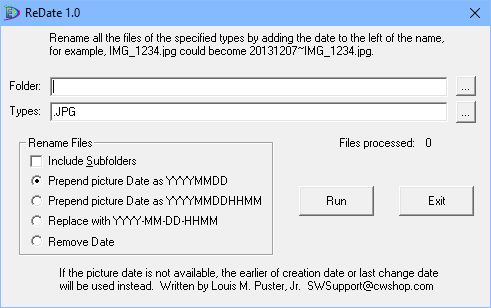
ReDate appends or removes the picture taken date that is to the left of the file name. This is intended to facilitate sorting of pictures. If the EXIF picture date is not available, the earlier of creation and last change date is used.
Installation
- I’m sorry but I don’t have a way to “sign” this application.
- Click Download and move cursor to the download window.
- Click on three dots > Keep > Blue button right of “Delete.”
- Click on “Keep Anyway” > “Open File”
- Click on the link “More info” > “Run anyway.”
- Click on “Yes” > “I agree” > “Yes” > “Install” > “Close.”
- The application will be installed using the Windows Installer which means the application can be uninstalled like any other application.