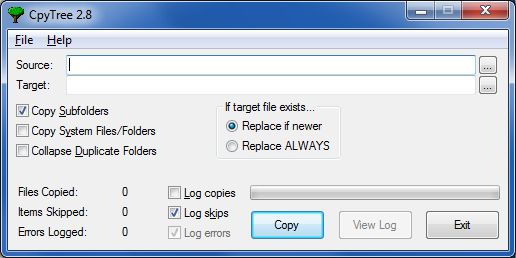
Cpytree is a Windows utility designed to copy directories (and optionally subdirectories) to a new or backup location. The Windows copy function will stop in the middle if it encounters a file that is in use or inaccessible for any reason. It also does not preserve the Creation Date and Last Reference Date of the file. Cpytree automatically skips problem files, but makes a note in a log of which files were skipped. It also preserves all three file dates.
CpyTree comes with complete documentation. Just install then click Help or press F1.
Installation
- I’m sorry but I don’t have a way to “sign” this application.
- Click Download and move cursor to the download window.
- Click on three dots > Keep > Blue button right of “Delete.”
- Click on “Keep Anyway” > “Open File”
- Click on the link “More info” > “Run anyway.”
- Click on “Yes” > “I agree” > “Yes” > “Install” > “Close.”
- The application will be installed using the Windows Installer which means the application can be uninstalled like any other application.